
- Partition on event_time and distribute by source or service.
- Index service, level, trace_id and message when they are investigation keys.
- Store evolving labels and attributes in VARIANT.
- Materialize recurring service/error-rate rollups only after the query pattern is proven.
All use cases
Short-lived workloads, durable evidence
Troubleshoot Kubernetes and application failures
Follow errors across pods, services and hosts from a shared timeline—even after the workload that produced them is gone.
Discuss this use caseEphemeral infrastructure produces ephemeral answers
A deployment fails intermittently. The pod is replaced, the local log disappears, and the investigation restarts with incomplete context.
- Restarted pods remove local evidence.
- Service names and fields differ across teams.
- Live tail shows now, but not the lead-up to failure.
- Developers and operators inspect different sources.
The UnifyLogs path
Move from spike to evidence
- 01
See the change
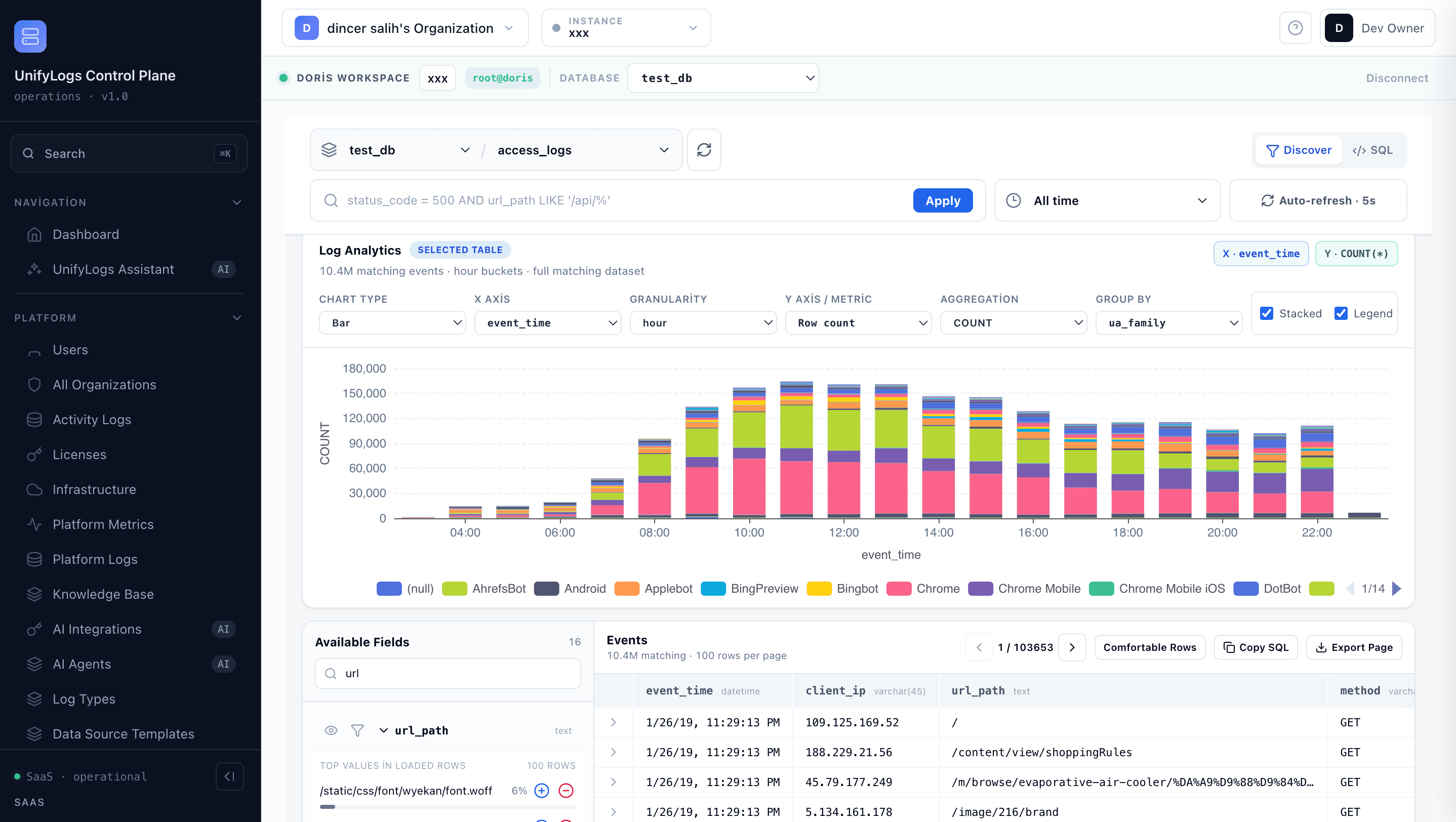
Use the log histogram to locate error and warning spikes.
- 02
Narrow the timeline
Filter by service, host, source, level or message.
- 03
Ask the deeper question
Switch to read-only SQL when the investigation needs grouping or correlation.
What changes
What changes for your team?
- Durable history for short-lived workloads
- A shared investigation surface for DevOps and developers
- Faster movement from symptom to affected service
Technical details: data flow and build plan
BUILD PLAN / KUBERNETES
Preserve the timeline after the pod disappears
Collect stdout and structured application events with stable Kubernetes metadata. Keep the raw event, then promote only the fields that make investigation faster.
01Pod stdout + app JSON
02Vector · Fluent Bit · OTel
03Doris event timeline
04Filter · histogram · SQL
- Start with the Application & Container log template.
- Map cluster, namespace, workload, pod and container metadata in the collector.
- Use Log Explorer for time range, field filters and message search.
- Move to read-only SQL for correlations and grouped failure analysis.
BEFORE CUTOVER
Acceptance gates
- 1Evidence survives a pod restart
- 2Deployment window is easy to isolate
- 3Service and trace filters agree
- 4Concurrent incident searches stay responsive
LET’S TALK ABOUT YOUR LOGS
Where are your logs slowing you down?
Tell us about your current tools and the problem you want to solve. We’ll agree the next step: a product walkthrough or a technical evaluation with one source.