
- Use DUPLICATE KEY(event_time) for append-heavy events.
- Partition by event time and set dynamic retention by workload.
- Distribute by source_installation_id with BUCKETS AUTO.
- Index message for text search; keep long-tail attributes in VARIANT.
All use cases
From scattered files to one operational memory
Build your first central log platform
Stop treating every incident like a file-system scavenger hunt. Bring application, host and container logs into one searchable on-prem workspace.
Discuss this use caseThe incident starts before the investigation does
Your team is growing, services are multiplying, and the person who remembers every log path is becoming a production dependency.
- Engineers SSH into different hosts and pods.
- Container restarts erase the evidence you needed.
- Retention depends on local disk and manual cleanup.
- Only a few people know where each service writes logs.
The UnifyLogs path
A practical first step, not a platform program
- 01
Choose the signal
Start with application, Kubernetes, infrastructure or security logs.
- 02
Activate ingestion
Use a managed table and collector template, then test with a sample event.
- 03
Investigate together
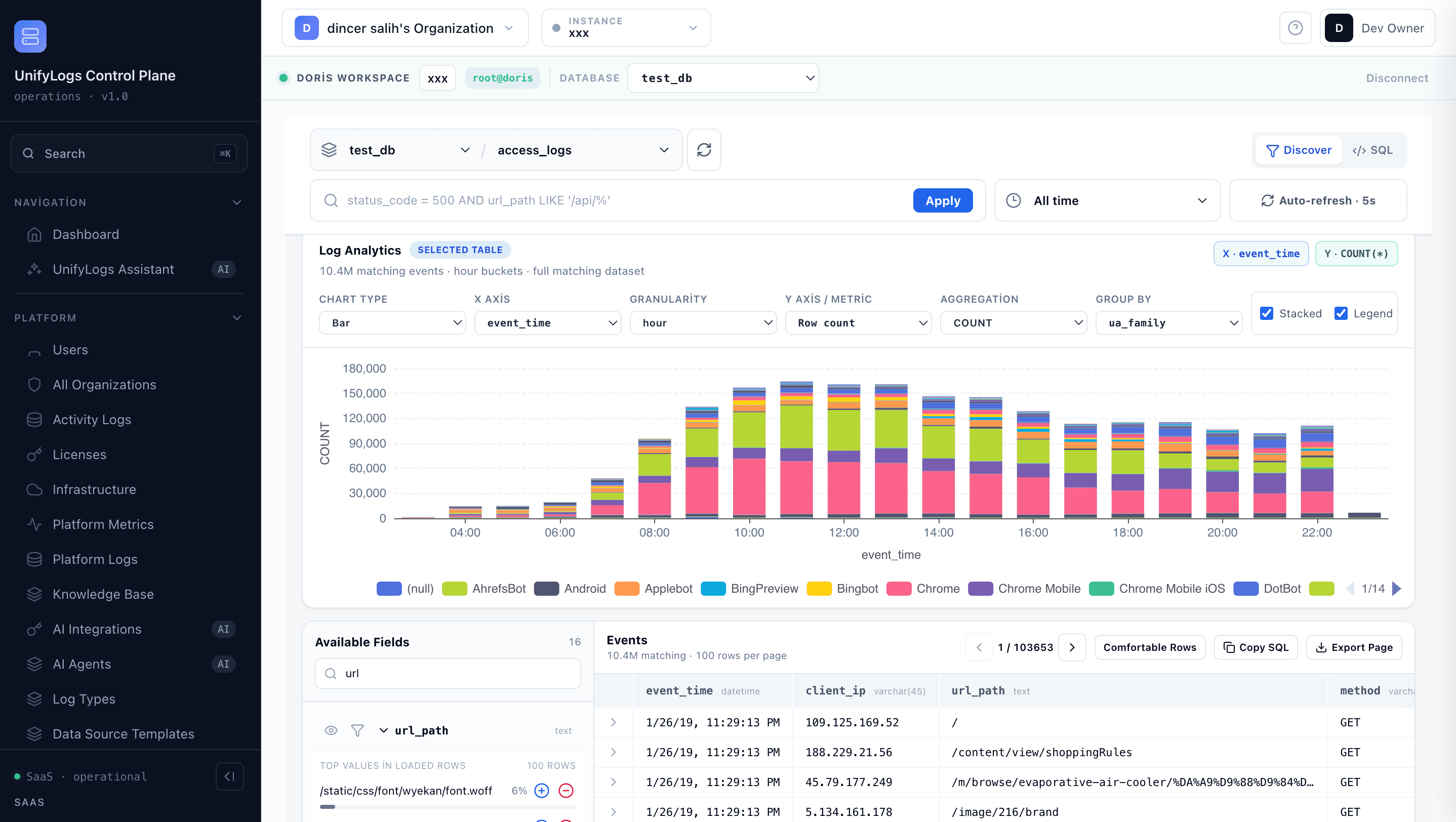
Search, live-tail and analyze the same retained data with filters or SQL.
What changes
What changes for your team?
- One place to start every incident
- Searchable history beyond a pod lifetime
- Less operational knowledge trapped in individual engineers
Technical details: data flow and build plan
BUILD PLAN / FIRST WORKLOAD
From the first event to a searchable operating memory
Start with one source and one incident question. The table, collector and acceptance checks below are a deployable baseline—not a promise that every workload needs the same design.
01App, host or container
02Vector · Logstash · HTTP
03Doris log table
04Log Explorer · SQL
- Choose the Application & Container template in Log Ingestion.
- Select a source and review the generated Doris DDL and collector config.
- Create the table only after retention and index review, then send a test event.
- Open the same table in Log Explorer; use SQL Studio for grouped questions.
BEFORE CUTOVER
Acceptance gates
- 1First event is searchable
- 2Freshness meets the target
- 3Retention creates expected partitions
- 4A real incident query returns the right evidence

LET’S TALK ABOUT YOUR LOGS
Where are your logs slowing you down?
Tell us about your current tools and the problem you want to solve. We’ll agree the next step: a product walkthrough or a technical evaluation with one source.